How PHP is processed by a web server
Request handling, CGI vs module mode, and what happens between the browser and the interpreter.
Source: php_processing.pdf — course material by Kiran V.K., published here so it is readable without a Google account.
Servers: A Comprehensive Guide
Introduction
In this guide, we'll explore how PHP processes web requests and the different modes in which PHP operates. This understanding is crucial for anyone stepping into the world of web development and server management.
1. Web Server Request Handling by PHP
The process of how a web server handles a PHP request is a foundational concept in web development. When a client requests a PHP page, the server checks for PHP scripts, processes them, and returns the generated HTML. This ensures dynamic content generation based on server- side scripting.
Figure 1: Basic Web Server Request Handling by PHP
2. Server Modes: CGI vs. Module
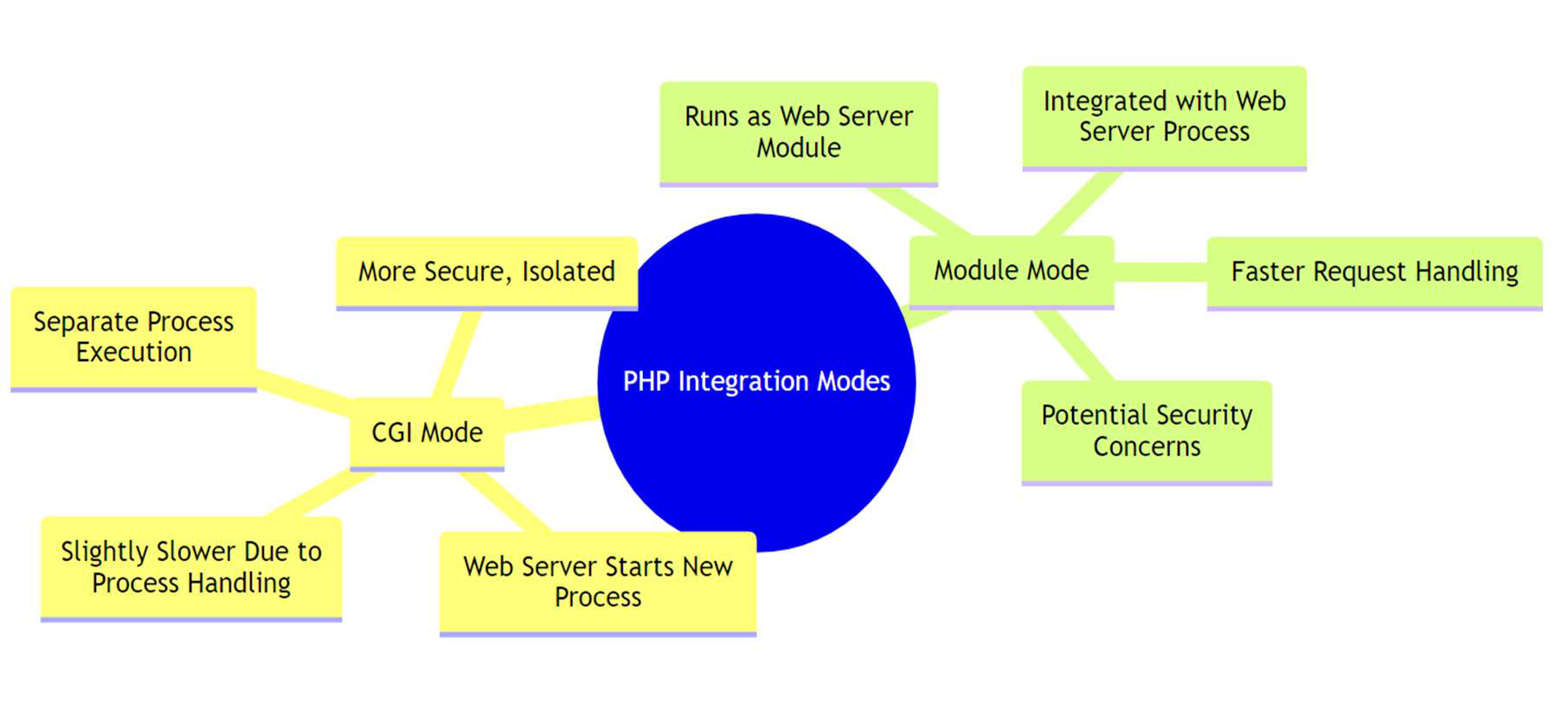
PHP can operate in two different server modes: CGI (Common Gateway Interface) and Module. In CGI mode, a separate process is created for each PHP script request. In Module mode, PHP is integrated into the web server itself, leading to improved performance but requiring careful security management.
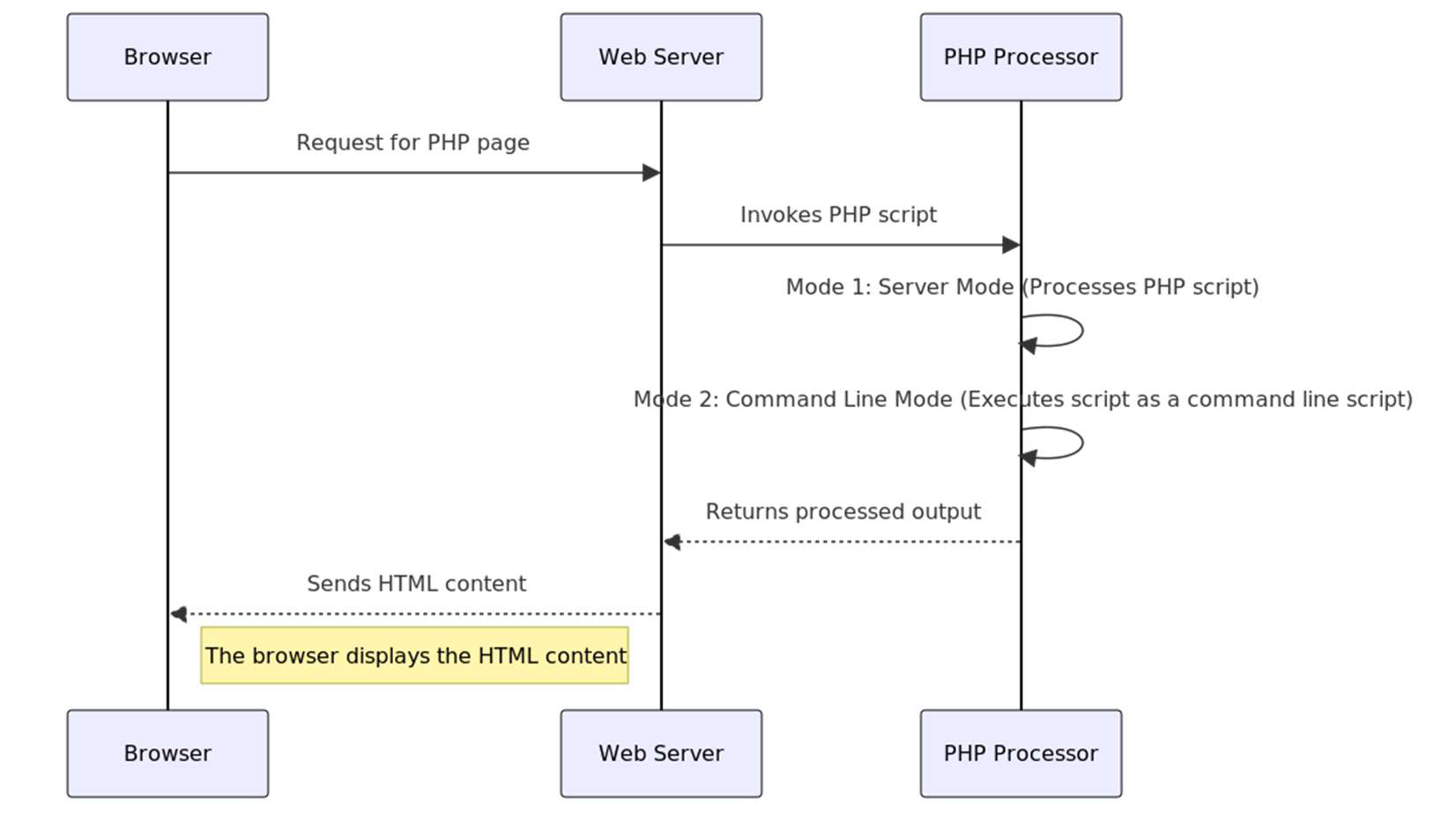
Figure 2: PHP Server Modes - CGI vs. Module
3. Server vs. Command Line Mode
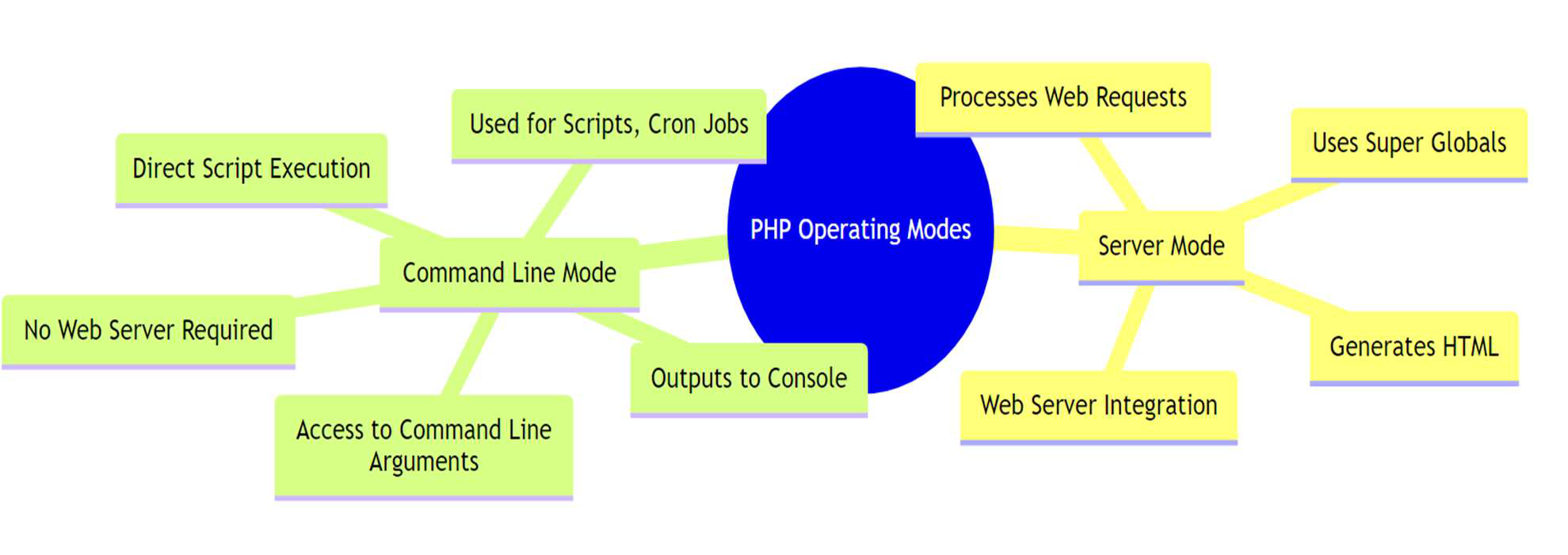
PHP's flexibility allows it to run in both Server and Command Line Interface (CLI) modes. Server Mode is suited for web applications, processing requests via a web server. CLI Mode, on the other hand, is used for direct script execution from the command line, commonly used for scheduled tasks and scripting.
Figure 3: Server vs. Command Line Mode
4. Server vs. CLI Mode: Sequence Diagram and Differences
Understanding the Operational Differences
PHP is a versatile scripting language that operates in two distinct modes: Server Mode and Command Line Interface (CLI) Mode. Each mode serves a different purpose and has its own operational context.
Server Mode: Web-Based Request Processing
- Context: In Server Mode, PHP is integrated with a web server, such as Apache or Nginx.
- Functionality: Here, PHP scripts are executed in response to HTTP requests from clients, typically web browsers.
- Use Cases: This mode is predominant in web development, where PHP scripts generate dynamic content for websites, handling server-side logic and database interactions.
- Process: A client sends an HTTP request to the server, which then invokes the relevant
PHP script. The script processes the request, and the server returns an HTTP response, often as an HTML page.
CLI Mode: Standalone Script Execution
- Context: CLI Mode enables PHP scripts to be run directly from the command line or terminal, independent of a web server.
- Functionality: Scripts executed in this mode do not process HTTP requests or send HTTP responses. Instead, they might perform tasks like data processing, file manipulation, or running scheduled jobs.
- Use Cases: Commonly used for administrative tasks, automation scripts, cron jobs, or batch processing.
- Process: The script is executed directly from the command line, processing the task at hand, and outputs directly to the console or handles other system-level tasks.
Sequence Diagram Explanation
- Visualization: Figure 4 illustrates the flow and differences in handling PHP scripts in both
Server Mode and CLI Mode.
- Server Mode: Shows the request-response cycle, starting from the client request to the server and the server invoking PHP scripts as part of the response generation process.
- CLI Mode: Depicts the direct execution of PHP scripts in a shell environment, independent of client-server interactions.
Figure 4: Sequence Diagram - Server vs. CLI Mode




Conclusion
This guide has explored the various aspects of PHP processing in web servers, highlighting the differences between its operating modes. Understanding these differences is vital for effective web development and server management, ensuring optimal use of PHP's capabilities.